

Bradford-on-Avon


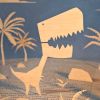
Latest batch of XP4N images.
Two more:
The order is a mess, not sure why.
And all the posts get merged...
Two more:
The order is a mess, not sure why.
And all the posts get merged...
Attached Files


Edited 04-02-2026, 01:37 PM by richardyot.
(04-02-2026, 01:33 PM)richardyot Wrote: Latest batch of XP4N images.
Two more:
The order is a mess, not sure why.
And all the posts get merged...
There some crackers there! You can reorder them by changing the (attchment = 1) order when you edit the post. Not sure why you're getting merged text. You can view the source text if you press the button in the top right of the toolbar, that might show what's going on...
--Actually I think maybe you didn't press the 'Insert into post' button? Your images are listed below an "Attachements" heading which doesn't happen if you insert them. Click the insert buttons in the order you want them. The attachments you uploaded are listed below the upload area like this:
Also there's a hitch with XP4N in that it saves all the images with similar names and no index. So if you upload two images using the same filter you'll get an error. I think one image per post is easiest to manage.
Edited 04-02-2026, 02:35 PM by meestersmeeeth.